How to Port SIM Number: A Beginner’s Guide to Switching Networks Without Losing Your Number

Your network is dropping calls every other minute, and you’re done making excuses for it. The good news: you don’t need a new number to escape a bad carrier. You just need to port your SIM — and it’s a lot less painful than most people assume.
I’ve helped three family members port their numbers in the last year alone (one from Airtel to Jio, two the other way), and the same two questions come up every single time: “Will I lose my number?” and “How long will I be without signal?” This guide answers both, plus everything in between.
Why Porting Your SIM Actually Matters
Switching networks used to mean losing your number and telling forty people to update their contacts. Mobile Number Portability (MNP) changed that in India back in 2011, and it’s still one of the most underused consumer rights out there. Poor network coverage, high tariff plans, bad customer service, or simply better 5G rollout in your area — any of these is reason enough to port. You keep your identity, your WhatsApp history tied to that number, and your bank OTPs. Only the SIM and the carrier behind it change.
What Is SIM Porting? (Quick Definition)
SIM porting is the process of switching your mobile number from one telecom operator to another — say, Airtel to Jio — while keeping the same 10-digit number. It’s done by generating a Unique Porting Code (UPC), submitting it to your new carrier, and getting a replacement SIM activated within 2-7 working days.
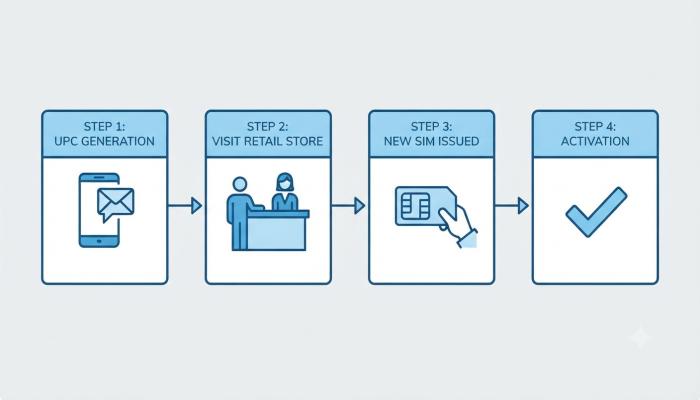
How to Port SIM Number: Step-by-Step Process
Here’s the exact sequence, whether you’re porting to Jio, Airtel, Vi, or BSNL.
Step 1: Generate Your Unique Porting Code (UPC)
- Open your messaging app and type PORT followed by a space and your 10-digit mobile number.
- Send it to 1900 (toll-free for most circles).
- Example:
PORT 9876543210to1900. - You’ll receive an 8-character alphanumeric UPC via SMS, usually within a few minutes.
Pro-tip most articles skip: The UPC has a shelf life, and it’s shorter than people expect. In Jammu & Kashmir, Assam, and the Northeast circles, it expires in just 6 days; everywhere else in India, it’s 15 days. If you generate the code but delay visiting the store, you’ll have to start over. I’ve seen this happen to a friend who waited two weeks “to be sure” — the code was dead by the time he showed up.
Step 2: Visit the New Operator’s Store (or Apply Online)
Carry these three things without fail:
- Your UPC
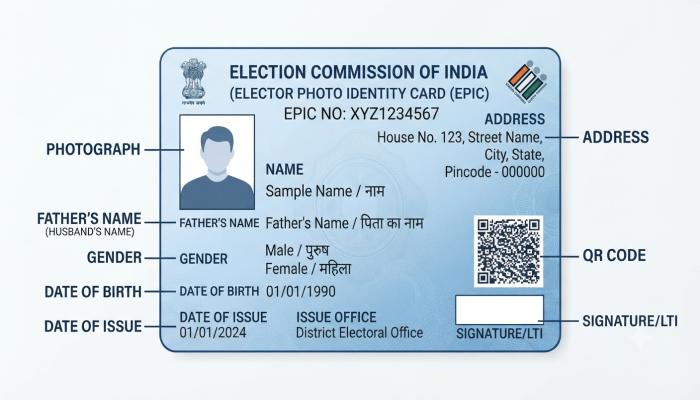
- A valid ID proof (Aadhaar, Passport, Voter ID)
- One passport-size photo (for offline applications)
Fill out the Customer Application Form (CAF) and submit it along with a small porting fee (usually free or under ₹10, depending on the operator’s current offer).
Step 3: Get Your New SIM and Wait for Activation
The new operator issues you a replacement SIM. Your old SIM continues working until the switch actually happens — you’ll get an SMS confirming the exact date and time your number will move over, typically between midnight and 4 AM to minimize disruption.
Step 4: Insert the New SIM and Confirm Activation
Once your old SIM stops working (usually a text or call will drop), insert the new SIM and restart your phone. Dial any number to confirm the switch went through. If it hasn’t activated within 24 hours of the promised window, call customer care immediately.
Also Read: Jio Broadband Complete Guide 2026: Plans, Booking, AirFiber & Everything You Need to Know
Common Pitfalls to Avoid
- Outstanding dues: If you’re a postpaid user, clear your final bill before porting. Unpaid dues will get your porting request rejected outright.
- Porting during a plan’s validity crunch: If your prepaid plan expires the same week, recharge first — a lapsed number can’t be ported.
- Wrong circle selection: If you’ve relocated states, make sure the new operator registers you under the correct telecom circle, or you’ll face compliance delays.
- Ignoring the SMS confirmation: Some people assume the switch happens instantly. It doesn’t — always wait for the confirmation text before assuming anything’s wrong.
Porting to Jio vs Porting to Airtel: Quick Comparison
| Factor | Port to Jio | Port to Airtel |
|---|---|---|
| Network Strength | Strong 5G rollout in metros | Strong in both metros and semi-urban areas |
| Porting Time | 2-4 working days | 2-4 working days |
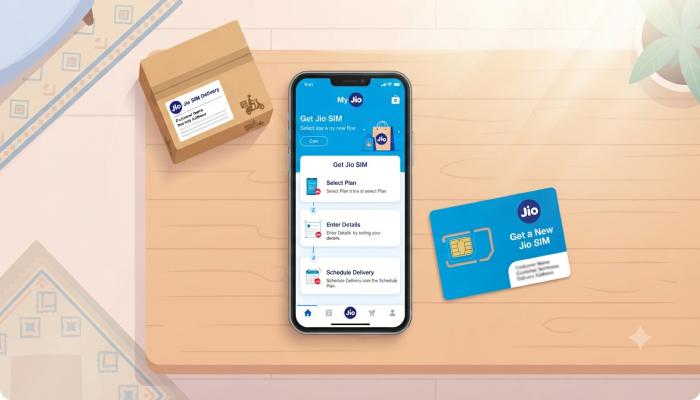
| Store Requirement | New SIM often home-delivered | Mostly in-store visit required |
| Customer Care | 1800-889-9999 | Airtel customer care number: 121 (from Airtel), 198 (from any network) |
| Best For | Data-heavy users, JioFiber bundling | Voice call reliability, enterprise plans |
Frequently Asked Questions
1. Can I port my SIM number for free?
Most operators charge a nominal porting fee (often waived during promotional periods), typically under ₹10 for prepaid connections.
2. How long does it take to port a SIM to Jio online?
Once you submit your UPC and ID proof, activation usually completes within 2-4 working days, though it can extend to a week in some circles.
3. Will I lose my contacts or WhatsApp data when I port SIM?
No. Porting only changes your network operator. Your number, WhatsApp account, and contacts remain untouched as long as you don’t factory reset your phone.
4. Can I cancel a porting request after generating the UPC? Yes, simply don’t submit the CAF at the new operator’s store. The UPC will expire on its own if unused.
5. What happens to my old SIM after porting?
It becomes inactive and stops working once the port completes. You can safely discard it.
6. Can postpaid numbers be ported the same way as prepaid?
Yes, but you must clear any outstanding bill amount first, or the request gets rejected.
7. Is there a limit to how many times I can port my number?
No hard limit, but you must wait at least 90 days between two ports on the same number.
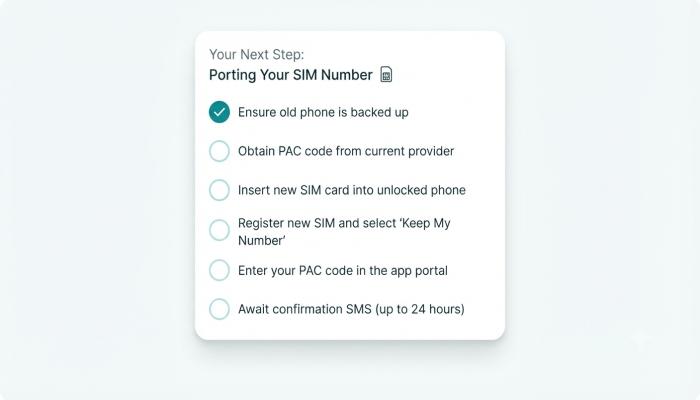
Your Next Step: Porting Checklist
- [ ] Confirm your current plan has no pending dues or expired validity
- [ ] Text PORT <number> to 1900 and note down the UPC immediately
- [ ] Visit the new operator’s store within 15 days (6 days for J&K/Assam/NE circles)
- [ ] Carry ID proof, photo, and the UPC
- [ ] Wait for the activation SMS before switching SIMs
- [ ] Test calls and data once the new SIM is active
Ready to make the switch? Head to your preferred operator’s official website or nearest store today, and if signal reliability was your main complaint, ask specifically about 5G coverage in your area before you commit — it’s a five-minute question that saves months of regret.