Ayushman Card Apply Online 2026: Step-by-Step Guide to Get Your Free Health Cover

Hook Introduction
Your family deserves ₹5 lakh in free healthcare — and you might already qualify without knowing it.
Millions of Indian families are eligible for the Ayushman Card under the PM Jan Arogya Yojana (PMJAY) but haven’t applied yet. Some think the process is too complicated. Others don’t know which website to trust. A few tried once, got confused, and gave up.
This guide cuts through all of that. I’ll walk you through exactly how to apply for the Ayushman Card online in 2026 — from checking eligibility in under 2 minutes to downloading your card as a PDF. No middlemen, no CSC queues — just the official process, step by step.
What Is the Ayushman Card and Why Does It Matter?
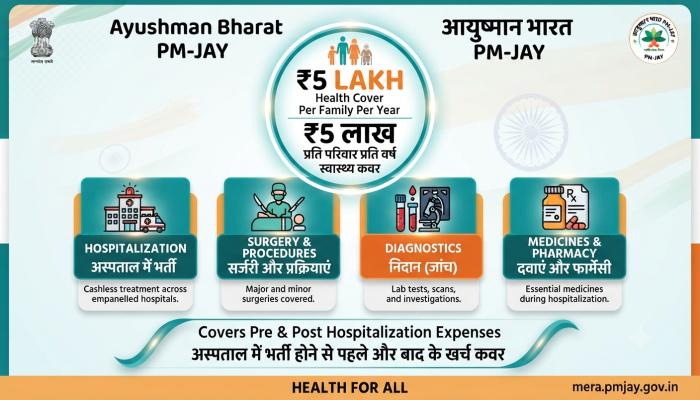
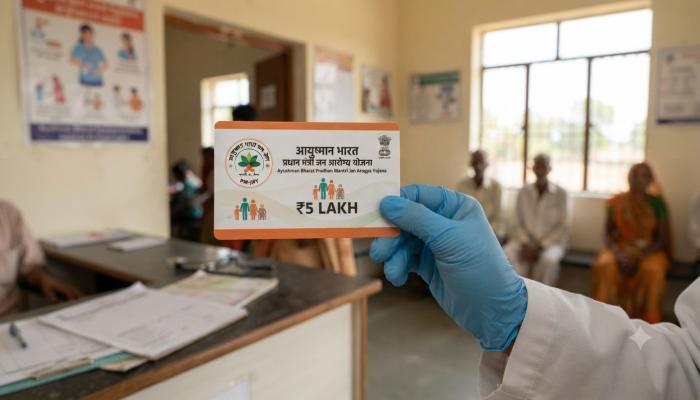
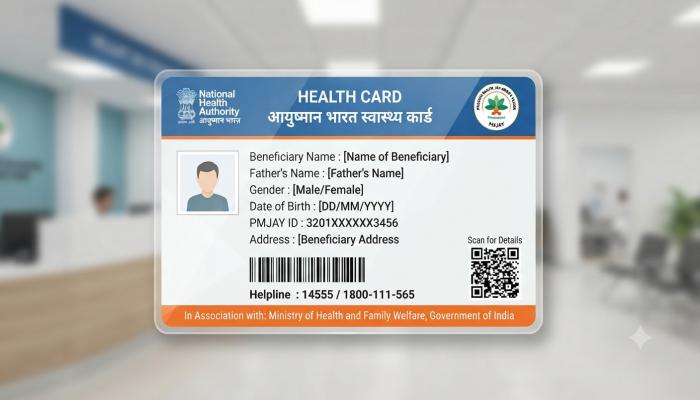
The Ayushman Card (officially called the AB-PMJAY card) is a government-issued health ID that gives eligible families cashless hospitalisation worth up to ₹5 lakh per year. It covers secondary and tertiary care — surgeries, diagnostic tests, ICU stays, and more — at any empanelled hospital across India.
The scheme now operates in all 28 states and 8 Union Territories. As of 2026, over 32 crore Ayushman cards have been issued nationwide.
Who was recently added to the scheme?
- All senior citizens aged 70 and above (irrespective of income, since September 2024), who receive a special Ayushman Vay Vandana Card
- ASHA workers, Anganwadi workers, Anganwadi helpers, and their immediate families (added in 2026)
How to Check Ayushman Card Eligibility in 2 Minutes
Before you apply, you need to confirm whether your name is already in the government’s beneficiary database. Eligibility is primarily based on the Socio-Economic Caste Census (SECC) 2011 data and the NFSA (National Food Security Act) beneficiary list.
Quick eligibility check — follow these steps:
- Go to beneficiary.nha.gov.in
- Enter your mobile number and complete OTP verification
- Select your State from the dropdown
- Search by Aadhaar number, Ration Card number, or your full name
- If your name appears with a green “Eligible” tag — you’re in
Rural households qualify if they meet at least one of these conditions:
- Living in a single-room home with kachha (unplastered) walls/roof
- No adult male member aged 16–59 in the family
- Household with a disabled member or no able-bodied adult
- Belongs to a Scheduled Caste or Scheduled Tribe
- Landless family dependent on manual casual labour
Urban households qualify based on occupational categories, including domestic workers, street vendors, construction workers, plumbers, electricians, sanitation workers, and more.
⚠️ Common Pitfall: Your name might appear spelled differently in the SECC database — “Ramesh” can show as “Rameshh” or “Rames.” If your name doesn’t appear by name, always try searching by Aadhaar number or Ration Card number instead.
Also Read: IRCTC Account: Complete Setup & Troubleshooting Guide (2026)
How to Apply for Ayushman Card Online — Step-by-Step
What you’ll need before starting:
- Aadhaar card (with your mobile number linked to it)
- Ration Card (optional, but useful as a backup search ID)
- Mobile phone for OTP
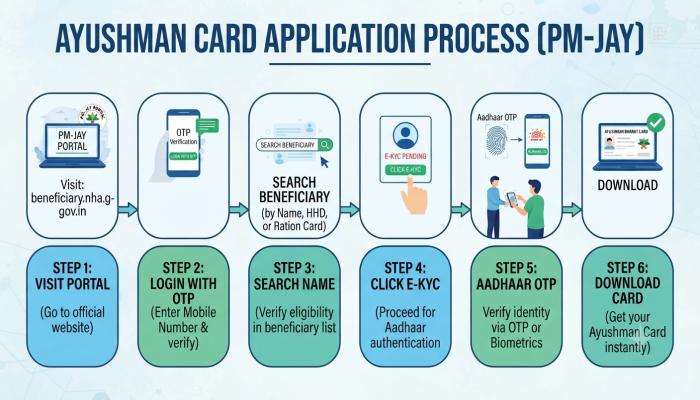
Step 1: Visit the Official Beneficiary Portal
Go to beneficiary.nha.gov.in — this is the only official portal from the National Health Authority (NHA). Do not use any other website claiming to offer Ayushman Card services. Unofficial sites are the #1 source of data theft and misinformation in this space.
Step 2: Log In with Your Mobile Number
Enter your mobile number and the captcha code. You’ll receive a 6-digit OTP. Enter it to access the portal.
Step 3: Search for Your Name
- Choose your State
- Select Sub-scheme: PMJAY (or your state’s linked scheme)
- Choose your District
- Select “Search By” — Aadhaar, PMJAY ID, Family ID, or Name
- Click Search
Step 4: Click “Do e-KYC”
Once your name appears with status “Not Generated,” click the Do e-KYC button next to your name. This is the digital verification step.
Step 5: Authenticate via Aadhaar OTP
Select Aadhaar OTP as your authentication method. Your Aadhaar number will be auto-filled. Confirm it and enter the OTP sent to your Aadhaar-linked mobile number.
Step 6: Download Your Ayushman Card
After successful e-KYC, your digital Ayushman Card is generated. Click Download to save it as a PDF. You can print it or store it on your phone — both are accepted at empanelled hospitals.
What If Your Mobile Number Isn’t Linked to Aadhaar?
This is the most common roadblock I’ve seen people hit. The e-KYC process requires an OTP on your Aadhaar-linked mobile number — if the number is different or unavailable, you have two solutions:
Option A: Visit an Aadhaar Seva Kendra to update your mobile number. This takes 24–48 hours to reflect in the system.
Option B (Faster): Use biometric authentication. Visit your nearest Common Service Centre (CSC) or an empanelled hospital. They use fingerprint or iris scanners — no OTP needed. Ideal if you need the card urgently.
💡 Pro Tip (Not Covered Elsewhere): If you belong to a vulnerable group but your name isn’t in the PMJAY database at all — you aren’t stuck. Submit a formal grievance through the official CGRMS portal (Grievance Redressal Management System). This triggers a manual review by the State Health Agency, which can result in inclusion. Most people don’t know this option exists.
Ayushman Card: Online Portal vs. CSC vs. Ayushman App
| Method | Best For | What You Need |
|---|---|---|
| Official Portal (beneficiary.nha.gov.in) | Anyone with Aadhaar-linked mobile | Aadhaar + OTP |
| Ayushman App (Google Play) | Mobile-first users | Aadhaar + OTP |
| Common Service Centre (CSC) | Those without active Aadhaar mobile | Aadhaar + Biometrics |
| Empanelled Hospital | Urgent need or troubleshooting | Aadhaar + Biometrics |
Ayushman Card Benefits — What’s Covered
The card covers treatments across 27 medical specialities including:
- Cardiology — bypass surgery, valve replacement
- Oncology — chemotherapy, radiation, cancer surgeries
- Orthopaedics — joint replacements, fracture surgeries
- Neurology — brain surgeries, epilepsy treatment
- Maternal health — deliveries, C-sections, newborn care
- Dialysis — for chronic kidney patients
The ₹5 lakh cover resets every year. It covers the full family — there’s no per-member sub-limit.
Common Pitfalls to Avoid
⚠️ Pitfall #1 — Using Unofficial Websites Dozens of fake portals mimic the PMJAY site. The only legitimate URL is beneficiary.nha.gov.in. Any site asking you to pay a fee for the card is a scam — the Ayushman Card is 100% free.
⚠️ Pitfall #2 — Checking Eligibility Without Verifying First Many people try to download the card before confirming they’re in the database. Always run the eligibility check first. Skipping this step is the single biggest reason for wasted time.
⚠️ Pitfall #3 — Mismatched Aadhaar Details If your Aadhaar name or date of birth differs from the SECC records, the e-KYC will fail. Update your Aadhaar details at a Seva Kendra before applying.
⚠️ Pitfall #4 — Applying for Family Members Separately The Ayushman Card is family-based. Once your card is generated, you can add other family members from the same portal account — you don’t need to start a new application for each person.
Semantic FAQs
Q1: Who is eligible for the Ayushman Card?
Families listed in the SECC 2011 database, NFSA beneficiaries, economically vulnerable rural and urban households, and all senior citizens aged 70+ (regardless of income) are eligible for the Ayushman Card under PMJAY.
Q2: How do I check if my name is on the Ayushman Bharat beneficiary list?
Visit beneficiary.nha.gov.in, log in with your mobile OTP, and search using your Aadhaar number, Ration Card number, or full name. If eligible, your name appears with a green “Eligible” status.
Q3: Is the Ayushman Card free to apply for?
Yes, applying for and downloading the Ayushman Card is completely free. No fee is charged by the government. If any website or agent asks for payment, it is fraudulent.
Q4: Can I apply for Ayushman Card without Aadhaar?
Aadhaar is the primary verification tool. However, if your Aadhaar mobile number is not active, you can visit a CSC or empanelled hospital for biometric (fingerprint/iris) authentication as an alternative.
Q5: How do I download the Ayushman Card after e-KYC?
After completing e-KYC on the PMJAY beneficiary portal, your card is auto-generated as a PDF. Click “Download” to save it to your device. It can be used digitally on your phone or printed.
Q6: What if my name is not showing on the Ayushman portal?
First, try searching by Aadhaar number instead of name — spelling errors in the database are very common. If still not found, visit your nearest CSC or raise a grievance on the CGRMS portal for manual verification and possible inclusion.
Q7: Is Ayushman Card valid in Uttarakhand?
Yes. Uttarakhand operates PMJAY along with the state’s own scheme. Beneficiaries can use the Ayushman Card at all empanelled hospitals in the state for cashless treatment up to ₹5 lakh per family.
Actionable Conclusion — Your Next Steps Checklist
Don’t just read this — take action today. Here’s exactly what to do next:
- [ ] Step 1: Open beneficiary.nha.gov.in on your phone or computer
- [ ] Step 2: Log in with your mobile number and OTP
- [ ] Step 3: Search your name using Aadhaar or Ration Card number
- [ ] Step 4: If eligible, click “Do e-KYC” and complete Aadhaar OTP authentication
- [ ] Step 5: Download your Ayushman Card PDF and save it on your phone
- [ ] Step 6: Add remaining family members from the same portal account
- [ ] Step 7: Note down your nearest empanelled hospital using the Hospital Locator on pmjay.gov.in