The Best UPI Payment App for Beginners (Honest Guide for 2026)

You opened your phone, someone said “just pay me on UPI,” and now you’re staring at five different apps and have no idea which one to pick. That confusion is more common than you’d think — and it’s completely fixable in the next 10 minutes.
This guide cuts through the noise. You’ll learn which UPI payment app to download, how to link your bank account, what the daily limits actually are, and the one mistake most beginners make that blocks their first transaction.
What Is a UPI Payment App, Exactly?
UPI (Unified Payments Interface) is a real-time payment system built by the National Payments Corporation of India (NPCI). It lets you send or receive money directly between bank accounts using just a mobile number or UPI ID — no IFSC code, no account number needed. Transactions settle in seconds, 24/7, including holidays.
Think of it as a universal remote for your bank. One app, any bank, instant transfer. The magic is that your money never actually leaves your bank account to sit in a wallet — it moves directly, which makes UPI safer than many alternatives.
Why UPI Has Basically Replaced Cash for Millions of Indians
The numbers are hard to argue with. UPI crossed 14 billion transactions in a single month in 2024 — that’s more than most countries process in a year. But beyond the stats, here’s what actually matters to a beginner:
- No minimum balance required to make a UPI payment
- Works even on basic Android phones (no NFC needed)
- Refunds on failed transactions happen automatically within 3–5 business days
- Multiple bank accounts can be linked to one app
The one thing I’ve seen trip up new users most often: they download an app, skip the bank-linking step, and then wonder why they can’t send money. The app is just the interface — your bank account is the engine.
Top UPI Payment Apps: Which One Should You Download?
Here’s a clean comparison. All of these are free to download and support standard UPI features.
| App | Best For | Platform | Unique Feature |
|---|---|---|---|
| Google Pay (GPay) | Simplicity | Android & iOS | Clean UI, instant bank balance check |
| PhonePe | Offers & rewards | Android & iOS | Insurance, mutual funds, bill pay |
| BHIM UPI App | Government/official use | Android & iOS | NPCI-backed, most lightweight |
| Paytm | Wallet + UPI combo | Android & iOS | Paytm wallet + UPI in one place |
| Amazon Pay | Amazon shoppers | Android & iOS | Cashback on Amazon orders |
My recommendation for absolute beginners: Start with Google Pay or BHIM UPI. They have the simplest onboarding flows and the least clutter.
How to Download and Set Up a UPI Payment App (Step-by-Step)
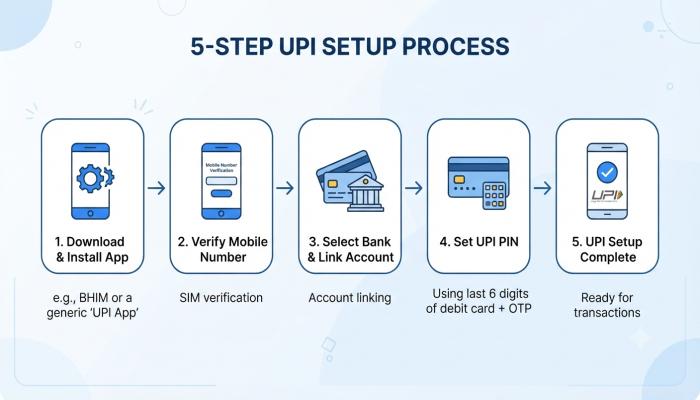
Step 1: Download the App
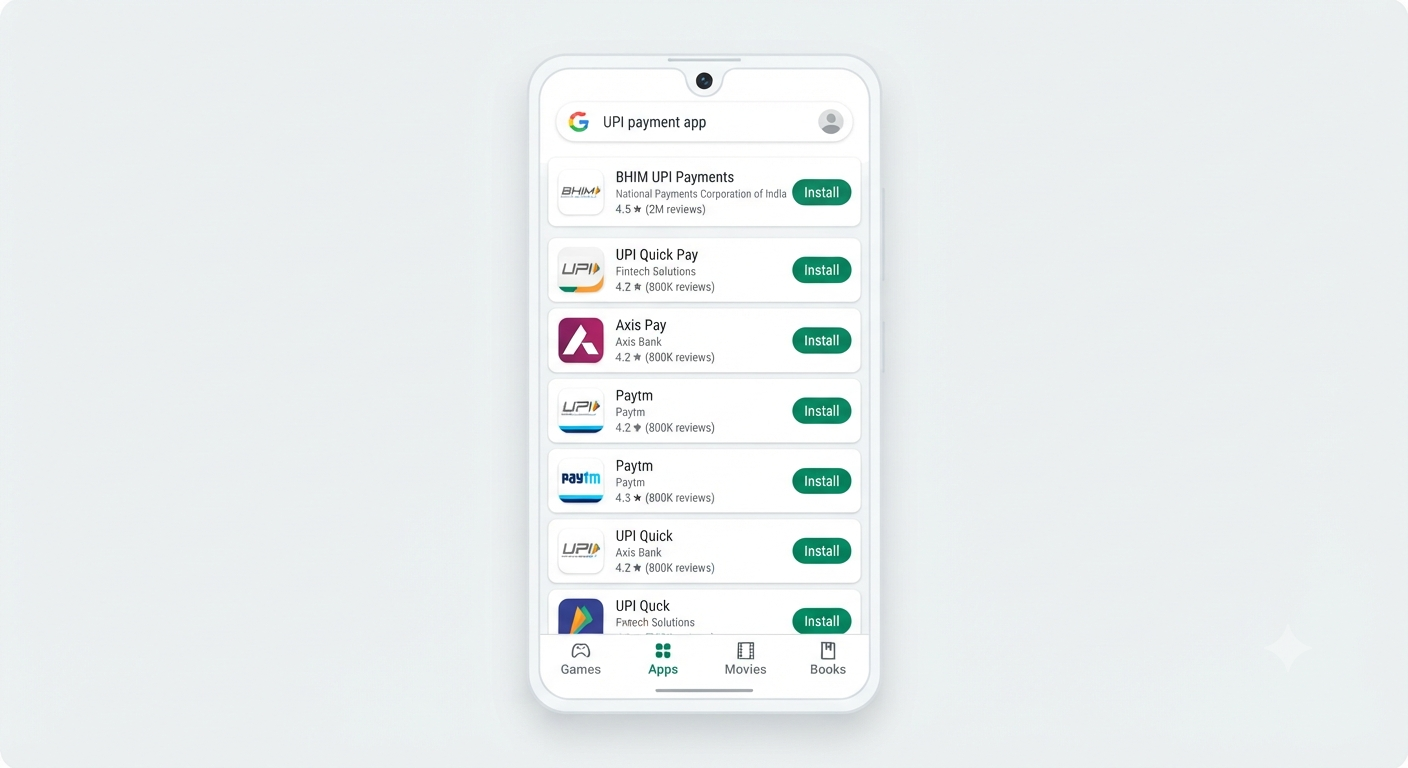
- Android users: Open Google Play Store → Search the app name → Tap Install
- iOS users: Open App Store → Search → Get
- BHIM UPI app download for PC: BHIM doesn’t have an official PC version. Use it on your mobile only. For PC-based UPI, use your bank’s net banking portal instead.
Step 2: Verify Your Mobile Number
Your mobile number must be registered with your bank. Open the app → Allow SMS permission → It auto-detects your number. No manual entry needed.
Step 3: Link Your Bank Account
Tap “Add Bank Account” → Select your bank from the list → The app fetches your account automatically via your registered mobile number.
Common Pitfall: If your bank isn’t showing up, your mobile number probably isn’t linked to that account. Visit your bank branch to update it — this cannot be done online.
Step 4: Set Your UPI PIN
This is a 4 or 6-digit PIN that’s different from your ATM PIN (though you’ll need your debit card details to set it up the first time). Enter the last 6 digits of your debit card and its expiry date when prompted.
⚠️ Pro-Tip: Never share your UPI PIN with anyone — not even someone claiming to be from your bank. Legitimate bank representatives will never ask for it.
Step 5: Make Your First Payment
Tap “Send Money” → Enter the recipient’s UPI ID, mobile number, or scan their QR code → Enter amount → Confirm with your UPI PIN. Done.
UPI Payment Limit: How Much Can You Send Per Day?
This is one of the most searched questions — and most articles get it wrong by quoting outdated numbers.
| Transaction Type | Per Transaction Limit | Daily Limit |
|---|---|---|
| Standard UPI | ₹1,00,000 | ₹1,00,000 |
| UPI Lite (small payments) | ₹500 | ₹4,000 |
| Tax payments / IPO / Capital markets | ₹2,00,000 | ₹2,00,000 |
| Specific bank higher limits | Up to ₹5,00,000 | Varies by bank |
The limit is set by your bank, not the app. So if PhonePe says your limit is ₹25,000/day, that’s your bank’s policy — not PhonePe’s restriction. Check your bank’s UPI limit page to confirm.
NPCI’s official UPI page for the most current regulatory guidelines.
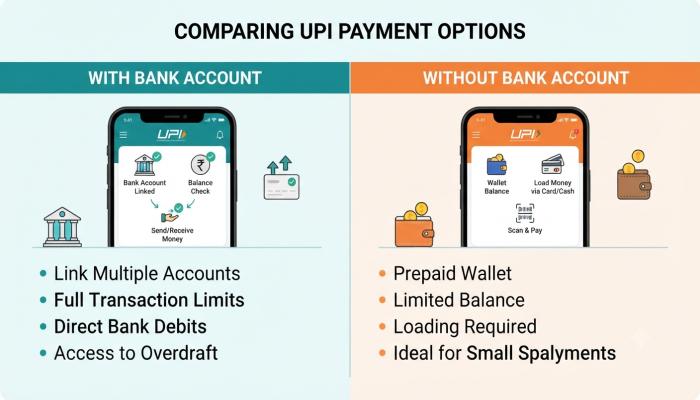
Can You Use a UPI App Without a Bank Account?
Technically, most UPI apps require a bank account to function. But here are your options if you’re in a limited situation:
- Paytm Wallet: You can load money from cash (via KYC) and make some UPI-style payments without a full bank account
- Airtel Payments Bank or India Post Payments Bank: These let you open a zero-balance account quickly and link to UPI within the same day
- UPI Lite: Designed for small payments with lower friction — but still requires a linked bank account to load wallet balance
The honest answer: for full UPI functionality, a bank account is necessary. Opening a zero-balance savings account at a payments bank is the fastest path forward.
Also Read: EPFO Guide: How to Login, Check Your Passbook & File a Claim Online
Paytm vs BHIM vs Google Pay: A Quick Verdict
I’ve watched people switch apps three times in one week trying to find the “best” one. Here’s the thing — for basic peer-to-peer payments, they all work equally well. The real differences show up in secondary features:
- Choose Paytm if you also want a digital wallet, Paytm Mall shopping, or FastTag recharge
- Choose BHIM UPI if you want a lightweight government-backed app with no ads and no upsells
- Choose Google Pay if you want the cleanest experience and are already in the Google ecosystem
- Choose PhonePe if you want rewards, offers, and insurance products bundled in
Frequently Asked Questions (FAQ)
Q1: Which is the safest UPI payment app?
All NPCI-approved UPI apps operate on the same secure infrastructure. Safety comes from how you use the app — never share your UPI PIN, don’t scan QR codes from unknown sources, and always verify the recipient’s UPI ID before confirming.
Q2: Can I download BHIM UPI app for PC?
There’s no official BHIM app for Windows or Mac. BHIM is mobile-only by design. For UPI on a computer, use your bank’s official website or internet banking portal.
Q3: Is there a UPI app that works without an internet connection?
Yes — UPI 123PAY allows feature phone and offline UPI payments via IVR calls, missed calls, or SMS. It’s specifically built for users in low-connectivity areas.
Q4: What happens if money is debited but not received by the other person?
The transaction will auto-reverse within 3–5 business days. If it doesn’t, raise a dispute directly inside the app under “Transaction History” → the failed transaction → “Raise Dispute.”
Q5: Can I link multiple bank accounts to one UPI app?
Yes. Most apps support 2–5 linked bank accounts. You can set a primary account for transactions and switch between them anytime.
Q6: Is UPI free to use?
For peer-to-peer (P2P) transfers, UPI is completely free. Merchant payments and certain value-added services may have charges depending on the app or bank.
Q7: What is a UPI ID and how do I find mine?
A UPI ID (also called a Virtual Payment Address or VPA) looks like yourname@bankname or mobilenumber@upi. Find yours inside the app under Profile or Settings → “My UPI ID.”
Your Next-Step Checklist Before You Close This Tab
Don’t just read this and move on. Here’s what to actually do right now:
- [ ] Pick one app from the comparison table above (Google Pay or BHIM if you’re unsure)
- [ ] Download it from the official Play Store or App Store only — avoid APK downloads from third-party sites
- [ ] Confirm your mobile number is linked to your bank account
- [ ] Set up your UPI PIN using your debit card details
- [ ] Send ₹1 to a family member as a test transaction
- [ ] Screenshot your UPI ID and save it somewhere accessible
One last thing: if you’re downloading the Paytm APK or any UPI app from a website instead of the official app stores, stop. Unofficial APK files are one of the most common ways UPI fraud happens. The official stores are free and the safest option, always.