Claude AI: The Complete Beginner’s Guide (2025)

You’ve heard people talking about Claude AI. Maybe a coworker uses it to draft emails in minutes. Maybe you saw it trending and wondered what the fuss is about. Either way, you’re here — and you’re about to stop wondering.
This guide covers everything: what Claude AI actually is, how to access it for free, how to use the chat interface effectively, and what separates it from other AI tools you may have tried.
No jargon. No unnecessary detours. Let’s go.
What Is Claude AI, Really?
Claude AI is a conversational AI assistant built by Anthropic, an AI safety company founded in 2021. It can read, write, summarize, analyze, code, and reason through complex problems — all through a simple chat interface. Unlike search engines, Claude generates original, context-aware responses based on what you ask.
That 47-word definition is what most beginners actually need to know first. But here’s what makes Claude different from the AI tools you may have already tried:
Anthropic built Claude with something called Constitutional AI — a framework that trains the model to be helpful, harmless, and honest. In practice, that means Claude is notably better at admitting when it doesn’t know something instead of confidently making things up. I’ve personally found this one of its most underrated strengths.
Claude is available in different versions. The most capable is Claude Opus, designed for complex reasoning tasks. Claude Sonnet sits in the middle — fast and smart. Claude Haiku is the lightest, optimized for speed.
Also Read: Jio 5G Plans 2026: Complete List, Prices & Which One Is Actually Worth It
How to Access Claude AI: Login, Free Plan & App
Claude AI Free Online — What You Actually Get
Here’s the good news: you don’t need a credit card to start. Claude AI has a free tier accessible at claude.ai.
With the free plan, you get:
- Access to Claude (the standard model)
- A generous daily message limit for most everyday tasks
- The ability to upload files and images
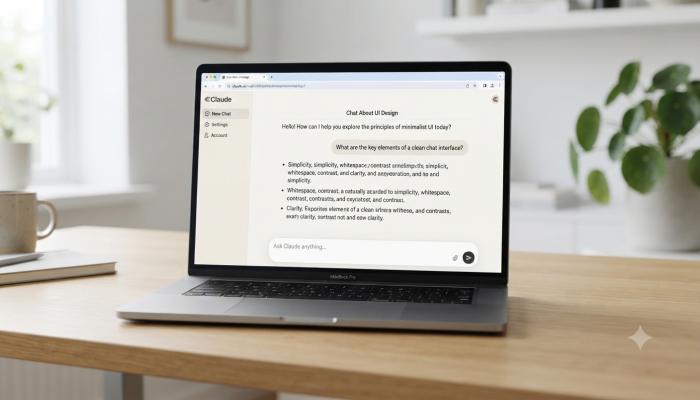
- Full access to the Claude AI chat interface
The free version is genuinely useful — it’s not a crippled demo. I’ve seen people write entire blog posts, debug code, and prep for job interviews using only the free tier.
Claude AI Login: Step-by-Step
Getting in takes less than two minutes:
- Go to claude.ai
- Click “Sign up” (or “Log in” if you already have an account)
- Enter your email address or continue with Google
- Verify your email
- Start your first conversation
That’s it. No setup wizard. No onboarding questionnaire. You’re dropped straight into the chat.
⚠️ Common Pitfall: A lot of beginners search for “Claude AI login” and land on third-party sites or clones. Always go directly to claude.ai — Anthropic’s official domain. There is no “Claude AI download” for desktop as a standalone installer; the primary experience is browser-based (though mobile apps exist — more on that below).
Claude AI Subscription: Is Claude Pro Worth It?
The paid plan, Claude Pro, runs about $20/month and unlocks:
- Higher usage limits (significantly more messages per day)
- Priority access during peak hours
- Early access to new features and model updates
- Access to Claude’s most capable models
For casual users, the free tier handles most needs. For anyone using Claude daily for work — writing, research, coding, analysis — Pro pays for itself fast.
Claude AI App: Using It on Mobile

Claude has official apps for both iOS and Android. You can find them by searching “Claude AI” in the App Store or Google Play.
The mobile experience is clean and mirrors the web version closely. Conversations sync across devices, so you can start on desktop and continue on your phone.
One underrated feature: the app supports voice input, which makes it fast to use when you’re on the go. Instead of typing a long prompt, you can speak it.
Also Read: Airtel Recharge Plans 2026: The Only Guide a Beginner Needs
How to Actually Use Claude AI Chat (And Get Better Results)
Most beginners open Claude AI, type a vague question, get a generic answer, and think “eh, it’s okay.” Here’s the mistake: the quality of Claude’s output is directly tied to the quality of your input.
The three-part prompt formula that works:
- Set the role: “Act as a financial advisor” or “You’re a senior software engineer reviewing my code”
- Give context: Include relevant background — what you’re working on, what you’ve tried, who the audience is
- Define the output: “Give me a bullet-point list” or “Write this as a professional email under 150 words”
Here’s a real example. Instead of:
“Help me with my resume”
Try:
“Act as a career coach. I’m a marketing manager with 5 years of experience applying for a Director-level role at a tech startup. Rewrite my resume summary to sound more leadership-focused. Here’s my current summary: [paste text]”
The second version will get you something you can actually use.
Claude AI as an Agent: What That Means for Beginners
You may have seen the term Claude AI agent floating around. In simple terms, an agent is an AI that doesn’t just respond — it takes actions. Claude’s agentic features allow it to work with external tools, browse information, execute multi-step tasks, and act more like a digital assistant than a chatbot.
For beginners, this matters because it signals where AI is heading. Today you’re using Claude for writing and research. Tomorrow, Claude agents may be handling your calendar, summarizing your emails, and running reports — automatically.
Claude AI vs. Other AI Tools: A Quick Comparison
| Feature | Claude AI | ChatGPT | Gemini |
|---|---|---|---|
| Free tier available | ✅ Yes | ✅ Yes | ✅ Yes |
| Long document analysis | ✅ Excellent | ✅ Good | ✅ Good |
| Nuanced writing quality | ✅ Very strong | ✅ Strong | ⚠️ Decent |
| Coding assistance | ✅ Strong | ✅ Strong | ✅ Strong |
| Safety & refusal transparency | ✅ High | ⚠️ Moderate | ⚠️ Moderate |
| Mobile app | ✅ iOS & Android | ✅ iOS & Android | ✅ iOS & Android |
🔗 [External Authority Link Placeholder — Anthropic’s official Claude model comparison page at anthropic.com/claude]
Pro Tips Most Beginners Never Discover
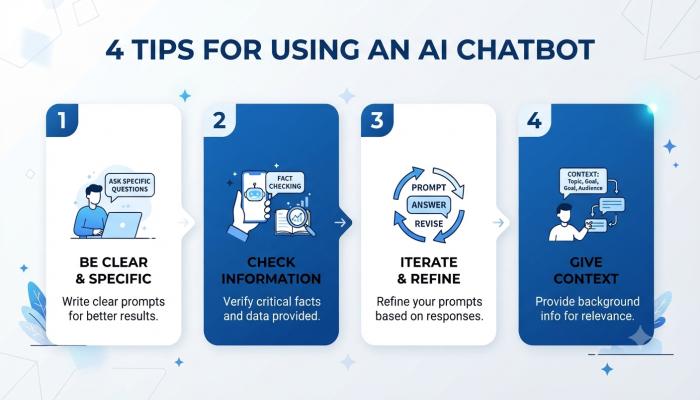
💡 Pro Tip #1 — Use Claude as a “Thinking Partner,” Not Just an Answer Machine Most people prompt Claude to do something. The real unlock is prompting it to think with you. Try: “What are the weaknesses in my argument?” or “Play devil’s advocate on this business plan.” This is where Claude’s reasoning depth genuinely shines — and it’s something most competing AI guides don’t mention.
💡 Pro Tip #2 — Paste Long Documents Directly Claude has one of the largest context windows in the industry. You can paste a full PDF, contract, research paper, or book chapter and ask specific questions about it. Most beginners don’t realize this works this well.
💡 Pro Tip #3 — Ask for Multiple Versions Instead of accepting the first draft, say: “Give me 3 different versions of this — one formal, one casual, one ultra-short.” Comparison makes it much easier to find what you actually want.
💡 Pro Tip #4 — Be Explicit About What You Don’t Want “Write a product description — avoid clichés, don’t use the word ‘innovative,’ and don’t start with a question.” Negative instructions work.
Frequently Asked Questions About Claude AI
Q: Is Claude AI free to use?
Yes. Claude AI has a free plan available at claude.ai that gives you access to the standard Claude model with daily usage limits. No credit card is required to sign up.
Q: What’s the difference between Claude AI and ChatGPT?
Both are large language model-based AI assistants, but Claude is built by Anthropic with a focus on AI safety and “Constitutional AI” principles. Claude is often preferred for nuanced writing, long document analysis, and responses that are more transparent about limitations.
Q: How do I download the Claude AI app?
There is no desktop installer for Claude AI. The primary experience is browser-based at claude.ai. Mobile apps for iOS and Android are available in the App Store and Google Play by searching “Claude AI.”
Q: What is Claude AI used for?
Claude AI is used for writing, editing, summarizing, coding, data analysis, brainstorming, answering questions, translating, tutoring, and building AI-powered workflows. It handles both simple tasks and complex, multi-step reasoning.
Q: Is Claude AI safe and private?
Anthropic has published usage policies and privacy guidelines for Claude AI. For sensitive or confidential work, review Anthropic’s privacy policy at anthropic.com before sharing personal or proprietary information.
Q: What is a Claude AI subscription and what does it include?
Claude Pro is the paid subscription at approximately $20/month. It includes significantly higher daily usage limits, priority access during peak hours, and access to Anthropic’s most advanced models.
Q: Can Claude AI browse the internet?
Claude Pro users have access to web search capabilities, allowing Claude to retrieve current information. The base free version works from its training data, with a knowledge cutoff date.
Your Next Step Checklist
Don’t just close this tab. Here’s what to do in the next 10 minutes:
- [ ] Go to claude.ai and create a free account (2 minutes)
- [ ] Run your first test prompt — ask Claude to summarize something you’re currently reading or working on
- [ ] Try the three-part prompt formula (role + context + output format) on a real task you have today
- [ ] Download the Claude AI app on your phone if you want access on the go
- [ ] Bookmark this guide for when you’re ready to explore Claude’s agentic and advanced features