ChatGPT: The Beginner’s Complete Guide to Getting Started (Free & Fast)

Introduction
You’ve heard the hype. Maybe a colleague said it wrote their entire report in ten minutes, or a friend used it to fix a recipe. So you typed “chatgpt” into Google, landed on the homepage, and… stared at a blank text box with no idea where to start.
That’s exactly where most beginners get stuck — not because the tool is complicated, but because nobody explains the basics clearly.
This guide fixes that. By the end, you’ll know how to log in, use ChatGPT for free, generate images, and write prompts that actually work — without wading through technical jargon.
What Is ChatGPT, Exactly?
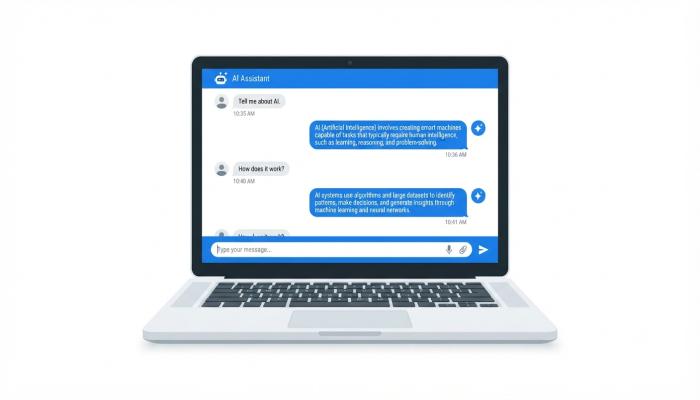
ChatGPT is an AI chatbot built by OpenAI that understands and responds to plain-English questions. You type something in, it writes back. It can draft emails, explain concepts, debug code, summarize documents, and generate images — all inside one chat window.
Think of it less like a search engine and more like a very well-read assistant who never sleeps. Unlike Google, which shows you links, ChatGPT gives you answers — written, synthesized, and ready to use.
It runs in your browser, so there’s nothing heavy to install. There’s also a ChatGPT app for iPhone and Android if you prefer working on your phone.
📌 Pro-Tip: ChatGPT and “Chat GTP” refer to the same thing — a common typo that still lands you in the right place. Don’t worry about it.
Also Read: Claude AI: The Complete Beginner’s Guide (2025)
ChatGPT Login: How to Create Your Free Account
Getting started takes less than two minutes.
Step-by-step:
- Go to chat.openai.com
- Click “Sign Up” (top-right corner)
- Enter your email address or continue with Google/Microsoft
- Verify your email
- You’re in — the chat interface loads immediately
That’s it. No credit card. No downloads. No waiting.
⚠️ Common Pitfall: Many beginners search “ChatGPT download” expecting a desktop app. While an official desktop app now exists, the web version at chat.openai.com works just as well and doesn’t require any installation. Start there.
Is ChatGPT Free? Here’s What You Actually Get
Yes — ChatGPT has a genuinely useful free tier. Here’s an honest breakdown:
| Feature | Free Plan | ChatGPT Plus ($20/mo) |
|---|---|---|
| Access to GPT-4o | ✅ Limited | ✅ Priority + more messages |
| Image generation (DALL·E) | ✅ Limited | ✅ More generations |
| Web browsing | ✅ Yes | ✅ Yes |
| Memory | ✅ Basic | ✅ Advanced |
| Faster responses | ❌ Slower at peak times | ✅ Yes |
| Voice mode | ✅ Basic | ✅ Advanced |
My honest take: I’ve seen beginners jump straight to the paid plan before even testing the free version. Don’t do that. The free tier is genuinely capable — most everyday tasks (writing, summarizing, Q&A) work fine without spending a cent. Use it for two weeks first.
How to Use ChatGPT: Writing Prompts That Actually Work
The single biggest mistake beginners make is writing vague prompts. ChatGPT is only as good as what you give it.
The 3-Part Prompt Formula:
- Role — Tell it who to be (“Act as a travel agent…”)
- Task — State exactly what you want (“…write a 3-day itinerary for Dhaka”)
- Context — Add constraints (“…for a family with two young kids and a $200 daily budget”)
The difference in output quality is dramatic. I’ve tested both — the vague version gives you a Wikipedia summary. The specific version gives you something you can actually use.
ChatGPT Image Generator: Create Visuals With a Simple Prompt
ChatGPT now includes a built-in image generator powered by DALL·E. You don’t need a separate tool.
How to generate an image:
- Open a new chat
- Type a description of what you want — be specific
- Hit enter — your image appears in seconds
ChatGPT Photo Editing Prompts (ready to use):
- “Generate a realistic photo of a tea garden in Sylhet at golden hour, wide angle, high resolution”
- “Create a minimalist logo for a bakery called ‘Flour & Flame’ — warm tones, hand-drawn style”
- “Edit this image to look like a vintage Polaroid photo from the 1980s”
- “A professional LinkedIn headshot background — soft bokeh, light grey studio style”
📌 Pro-Tip (not commonly covered elsewhere): Add the phrase “no text, no watermarks” to every image prompt. By default, AI-generated images sometimes include garbled letters or logos. This one instruction eliminates 90% of that issue.
ChatGPT Online vs. ChatGPT App: Which Should You Use?
Both are official OpenAI products. Here’s when to use each:
Use ChatGPT Online (browser) when:
- You’re on a desktop or laptop
- You need to copy-paste content into other tools
- You want to upload files or documents
Use the ChatGPT App (iOS/Android) when:
- You’re on the go
- You want voice conversation mode
- You need quick answers without opening a laptop
The app is free to download on both platforms. Your conversation history syncs across both, so you can start a chat on your phone and continue on your computer.
Image

Image

Frequently Asked Questions
Is ChatGPT safe to use?
Yes. OpenAI has safety filters built in. It won’t help with harmful requests, and your data can be managed in your account settings. You can turn off chat history if you prefer privacy.
What’s the difference between ChatGPT and Google?
Google finds existing web pages. ChatGPT generates an original written response. Use Google for finding links and news; use ChatGPT for drafting, explaining, and creating.
Can I use ChatGPT without creating an account?
As of 2024, OpenAI allows limited access without signing in. But creating a free account unlocks conversation history, image generation, and better responses.
Why does ChatGPT sometimes give wrong answers?
It can “hallucinate” — confidently stating false information. Always verify important facts, especially for medical, legal, or financial topics. Treat it like a smart assistant, not an encyclopedia.
How is ChatGPT different from other AI tools like Gemini or Copilot?
All three are large language models. ChatGPT has the longest track record and the most mature plugin/tool ecosystem. Gemini integrates tightly with Google products. Copilot is built into Microsoft Office. For general use, any works — but ChatGPT remains the most-used starting point for beginners.
Can ChatGPT generate images for free?
Yes, with limits. Free users get a set number of DALL·E image generations per day. After hitting that limit, you’ll need to wait or upgrade to Plus.
Does ChatGPT work in Bengali?
Yes. You can write prompts in Bengali and ChatGPT will respond in Bengali. It handles Bangla reasonably well, though complex nuances may still be better in English.
Your Next Step Checklist
Don’t just read this and close the tab. Here’s what to actually do in the next 15 minutes:
- [ ] Go to chat.openai.com and create your free account
- [ ] Type your first prompt using the 3-part formula (Role + Task + Context)
- [ ] Ask it to explain something you’ve always been curious about — in simple terms
- [ ] Try generating one image using a specific, detailed prompt
- [ ] Add the phrase “no text, no watermarks” to your image prompts
- [ ] Download the ChatGPT app for on-the-go access
- [ ] Bookmark this guide to reference the prompt tips and comparison table